
Dome loudspeaker layout generator – plan an Ambisonic dome in the browser
How many loudspeakers on which rings, at what elevation – and where do they actually go on the truss or the walls of the room? The Dome Loudspeaker Layout Generator is a free web app that answers these questions when setting up an Ambisonic loudspeaker dome, and exports the result straight into the IEM AllRADecoder. It runs entirely in your browser; if it doesn’t load there, use the fallback on Streamlit Cloud.
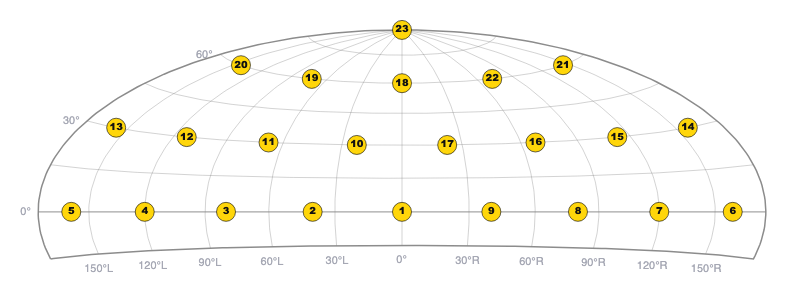
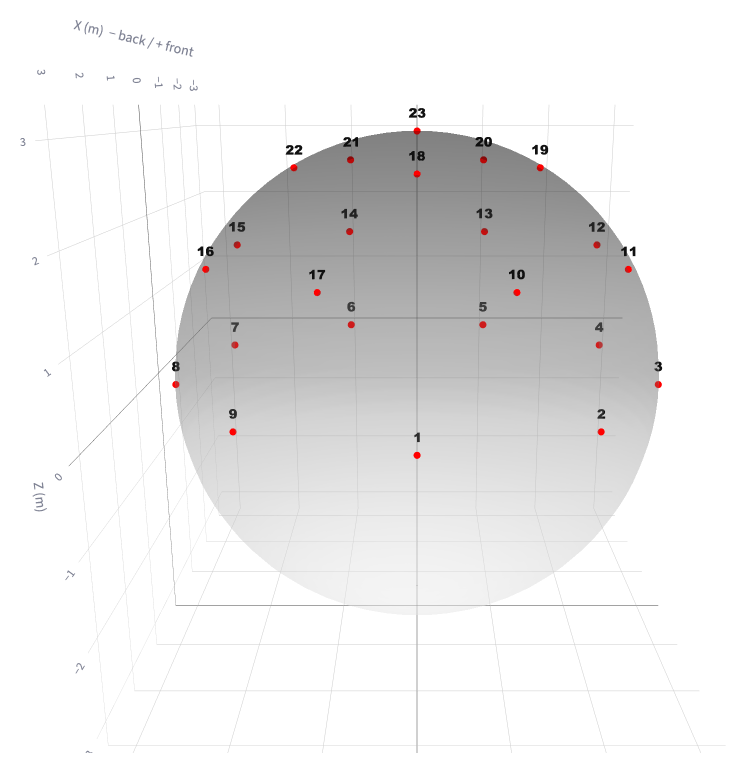
Design the layout. Choose a target number of loudspeakers and elevation rings and the app distributes them proportionally to the ring area. Every ring can then be adjusted – elevation, number of loudspeakers, azimuth offset – with an optional top loudspeaker (“voice of God”), a ring below the horizon, and offsets for individual loudspeakers. The layout is shown as an interactive 3D view and as the same equal-area Hammer-Aitoff map the AllRADecoder uses.
Check the decoder. The app calculates an AllRAD decoder for the layout and shows the energy distribution of the decoded sound field, so uneven layouts with hot and cold spots show up before a single loudspeaker is hung.
Plan the installation. The truss planner projects the loudspeakers onto a rectangular truss per ring and lists the heights above the floor; the wall mount planner projects them onto the walls and ceiling of a given room. Both views can be downloaded as DXF at 1:1 to overlay on a CAD plan, together with a CSV of all positions.
Export and share. Download the layout as JSON, import it into the IEM AllRADecoder and press Calculate Decoder. The whole configuration also fits into a share link, and an existing AllRADecoder layout can be turned into a link with a small script.
The app is open source (Apache 2.0) and can also run locally with Python and Streamlit: github.com/kronihias/dome-loudspeaker-layout-generator. It works well together with the ambiX and mcfx plug-ins and reaper_ambix.